
Color Palette
Creator support
Eyedrop colors from images. Auto-extract and contrast checks.
Pin this app to Home. Open it from Home afterward.
About this app
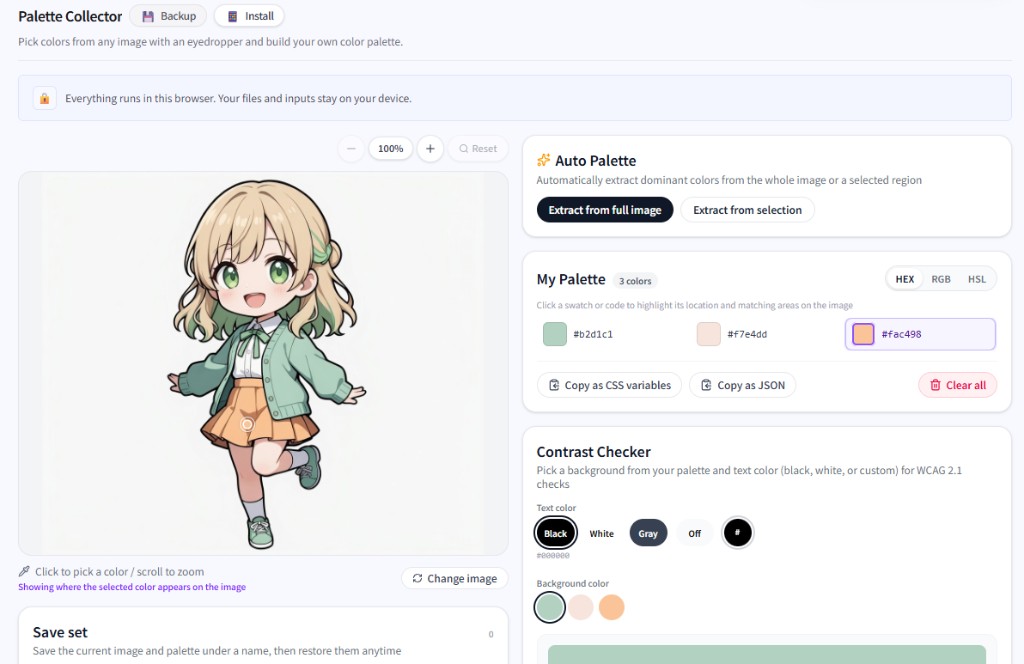
Eyedrop or region-auto-extract colors from reference images into a living palette. Check HEX/RGB/HSL, copy CSS variables or JSON, and gauge text/background contrast (WCAG) while you explore directions.
Save named projects with image plus palette for UI, illustration, or slide color work.
What you can do
- Click eyedrop with loupe, drag-region auto extract, complementary/analogous suggestions
- HEX/RGB/HSL plus CSS variable and JSON copy
- WCAG-minded contrast checker
- Named project saves (image + palette)
Getting started
- Drop or paste an image.
- Click colors or auto-extract a region into the palette.
- Check contrast and refine swatches.
- Copy CSS/JSON or save the set as a project.
Tip
Project saves depend on local storage space. Keep important palettes as CSS/JSON copies too.
Last updated
July 2, 2026
Compatible devices
- Windows
- Mac
- PC recommended